 ● In stock
HOME & LIVING
Stoneware Mug
Speckled ceramic · 12 oz
- Quantity
- 48 in stock
- Price
- $18.00
Know what you have. Find what you need. Keep business moving with inventory that works the way you do.
● In stockSpeckled ceramic · 12 oz
For the businesses
that keep things moving.
From the first item to the next restock, make everyday inventory a little less work.
Sizes, colors, serial numbers. Build custom templates with the fields your business actually needs.
Make it yoursSet minimum quantities and see which items need a restock.
Connect existing barcodes to your items and pull up the right details with your device camera.
Explore barcodesInvite your team and give people the right access to view or edit your inventory on supported plans.
See team permissionsBring your existing inventory in with CSV import, and export it whenever you need a copy.
See how importing works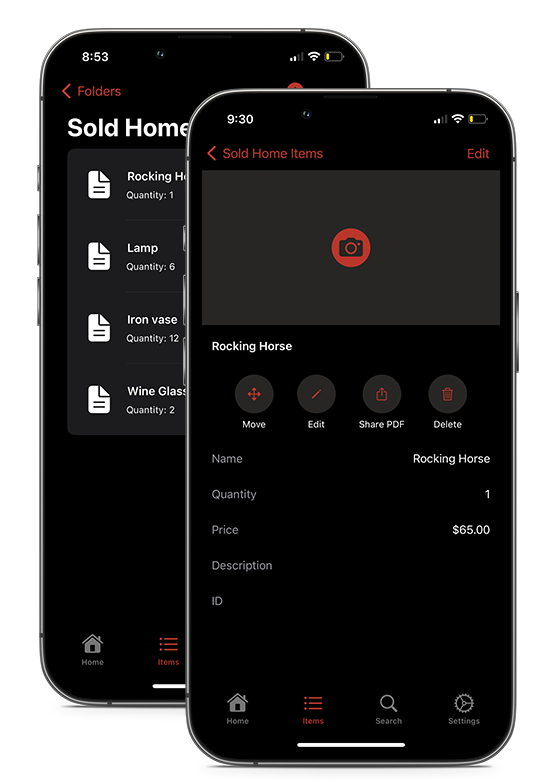
On the shop floor. In the stockroom. Out on a job. Access your inventory from your phone or the web, with cloud sync keeping it all connected.


Set up your account, then use folders to organize by location, category, or whatever makes sense to you.
Add items individually or import a CSV. Choose the fields you want to track with custom templates.
Link barcodes, update quantities, and check low stock. Build an inventory routine that works for you.
Start with 50 items, 15 folders, and 3 templates. For free.
A little clarity before you get started.
See all frequently asked questionsYes. Cloud Free includes up to 50 items, 15 folders, 3 templates, and 1 user. You can move to a larger plan as your needs grow. Compare all plans.
Yes. Import items from a CSV file and map your columns to your template fields. You can also export items to CSV. Our import guide walks you through it.
You can link existing barcodes to your items, then scan them with your device camera to find the item and update its details. See the barcode guide for supported formats and workflows.
Yes. Cloud Basic, Cloud Plus, and Cloud Ultra support unlimited users. Invite team members and manage what they can view or edit with team roles and permissions.